
How to See When Someone Followed Someone in 2026
How to see when someone followed someone on Instagram: the app shows no follow date for other people. What you can see for your own account and what works now.
 SpyFollr team8 min read
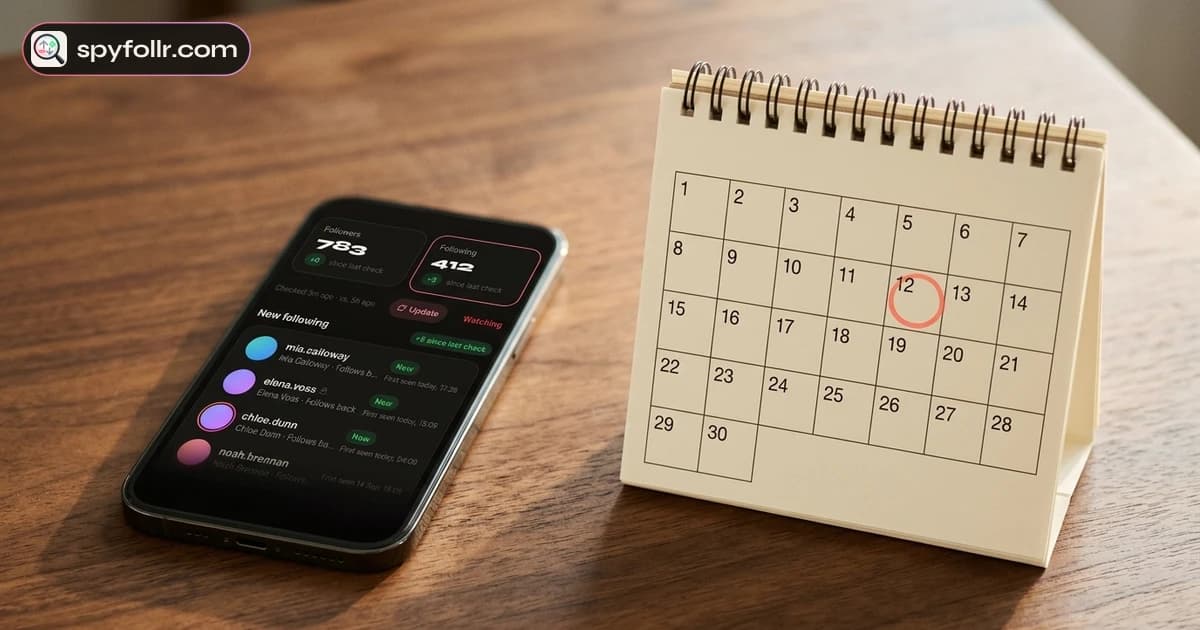
How to see when someone followed someone on Instagram? For two other people, you cannot get the exact date: Instagram does not show it to anyone except the two accounts involved, and no app or website can read it. What you can see is when a follow first appeared, by watching a public account's list over time. For your own account it is different: Instagram keeps dates for your follows and your followers, and you can get to them.
This guide covers both. First what Instagram shows and hides, then the methods that still work in November 2026, and finally what to make of a "first seen" date.
The short answer
| Whose follow? | Can you see the date? | How |
|---|---|---|
| You followed someone | Yes | Sort your Following list by date, or download your information |
| Someone followed you | Yes | Your notifications, your Followers sort, or your data download |
| Someone else followed someone else | Not the exact date | Compare their public list over time, or use a tool that dates new follows by the day it first saw them |
| A private account's follows | No | Only its approved followers see the list at all |
Why Instagram does not show when someone followed someone
A follow on Instagram has a date, but it lives inside Instagram. The app shows a Following list for public accounts, and that list has never had dates next to the names.
For years people used two workarounds. Until October 2019 there was a Following tab in the activity screen that showed what the people you follow were doing, including who they followed. TechCrunch reported its removal on 7 October 2019. After that, the top of someone's Following list roughly meant their newest follows.
That second workaround ended on 9 September 2026. Instagram changed how other people's follow lists come back, and their order no longer has anything to do with time. We measured it on 18 September 2026; the details are on our page about what changed in Instagram's following list order. So the position of a name tells you nothing about when it was followed, and the list can reshuffle between two loads. Our guide on why you can't see recent follows on Instagram explains the full story.
How to see when you followed someone
If one side of the follow is you, Instagram has the date and shows it to you.
Sort your Following list by date
- Open your own profile and tap Following.
- Tap the sort option above the list.
- Choose Date followed: Latest or Date followed: Earliest.
This puts your follows in time order. It does not print a date next to each name, but it tells you which came first. The sort exists only on your own account; on anyone else's profile it is not there.
Download your information for exact dates
Instagram's export includes the people you follow and the people who follow you, each with a date. Instagram's help page on downloading a copy of your information walks through it: in Accounts Center, open Your information and permissions, then Download your information, choose your profile and the format, and request the files. Instagram emails you when they are ready.
The export is the most precise answer you will get for your own account, down to the day the follow happened. If you mainly want to know who followed and unfollowed you, Unfollr reads that export for you and keeps the history.
How to see when someone followed you
When someone follows you, Instagram sends a notification, and the heart (activity) screen keeps it with its age, such as "3d" or "2w". Older ones are grouped under headings like "This month". Your Followers list also has a date sort, just like Following. And the data download above includes each follower with the date.
What none of these do is tell you about other people's follows. Your activity screen covers only your own account.
How to see when someone followed someone else
Here Instagram gives you nothing directly, so every method comes down to one idea: look at a public list more than once and note what is new. That gives you a window, not a timestamp. If a name was absent on Monday and present on Thursday, the follow happened somewhere in between.
By hand
- Open the public account and tap Following.
- Write down the names you care about, or take screenshots. Instagram does not notify anyone about screenshots of a profile; our guide on whether Instagram notifies screenshots covers the details.
- Look again later and compare names, not positions. A new name means a new follow since your last look.
The shorter the gap between looks, the narrower the window. On a list of a few hundred names this is manageable. On a list of thousands, comparing by eye takes a long time and it is easy to miss a name. Our guide on how to see who someone follows on Instagram has tips for reading long lists.
With SpyFollr
SpyFollr does the comparing for you and keeps the dates.
- Look up any public username in the iPhone app or the web app. There is no Instagram login, SpyFollr never asks for your password, and the account you look up is not notified.
- The first look is the starting point. Accounts already on the list when SpyFollr starts reading it are treated as old follows, never marked "New", because nobody knows when those happened. SpyFollr also reads a list a few times before it calls anything new.
- New follows are dated the day SpyFollr first saw them. When a name appears that SpyFollr has not seen on that list before, it is marked "New" with its first-seen date. That is the end of the window, not the moment of the follow.
- Watch for a narrower window. With Pro, SpyFollr re-checks accounts on your watch list every few hours and sends a push alert when new names appear, so the first-seen date sits close to the real one. On very large lists, where no tool can read every name each time, it tells you the count moved rather than guessing names.
- A few free checks a day, and Pro raises the daily limit. See the recent follow tracker and pricing pages.
Other tools that work this way say the same thing about their dates. Our comparison of DolphinRadar alternatives shows how several of them date a "new" follow.
How to read a "first seen" date
A first-seen date answers "when did this follow show up", and it is easy to read more into it than it holds.
- It is a "no later than" date. The follow happened on that day or before it, never after.
- How close it is depends on how often the list was checked. Checked every few hours, it is close. Checked once a month, the follow could be weeks older.
- An old follow can look new. When you compare by hand, a long list that loaded only partly last time can now show a name that was there all along. Treat one surprising date with care.
- A missing name is not an unfollow. Long lists rarely load the same twice. A name that disappears and comes back usually never left.
What nobody can tell you
Some things are out of reach for anyone outside Instagram, and a tool that promises them should be able to explain how it knows:
- The exact date and time two other people's follow happened.
- The order of someone's follows, since 9 September 2026.
- Anything about a private account's follows. Instagram's page on public and private accounts explains that only approved followers see a private account's lists.
- How long someone has followed someone before anyone started watching the list.
Never give a "follow date" site your Instagram password. Nothing about this question needs it.
Reading follow dates fairly
A public Following list is public by the owner's choice, and looking at it is ordinary. A follow, though, is not evidence of anything: people follow for a post, a friend of a friend, or by accident. If the date matters because of someone close to you, asking them will tell you more than any list. Anyone looked up on SpyFollr can ask not to be listed, as described in section 10 of our privacy policy.
FAQ
Can you see when someone followed someone on Instagram?
Not the exact date for two other people. Instagram does not show it. You can see when the follow first appeared on a public list, either by comparing the list yourself over time or with a tool such as SpyFollr that dates each new follow by the day it first saw it.
How do I see when I followed someone on Instagram?
Sort your own Following list by Date followed: Latest or Earliest to see the order. For exact dates, download your information from Accounts Center; the file lists each account you follow with a date.
How long has someone been following someone on Instagram?
For two other accounts, nobody outside Instagram can tell. The best you can get is "since at least" the day someone first noticed the follow on a public list.
Does the top of someone's Following list show their newest follows?
Not anymore. Since 9 September 2026 the order of other people's follow lists is unrelated to time and can change between loads.
Can I see when a private account followed someone?
No. A private account's Following list is visible only to followers it has approved. If the account it followed is public, the private account can still appear in that public account's Followers list, but with no date.