
Can You See If a Private Account Follows Someone?
Can you see if a private account follows someone on Instagram? Not from its own lists, but it shows up on the public account it follows. Here is how to check.
 SpyFollr team8 min read
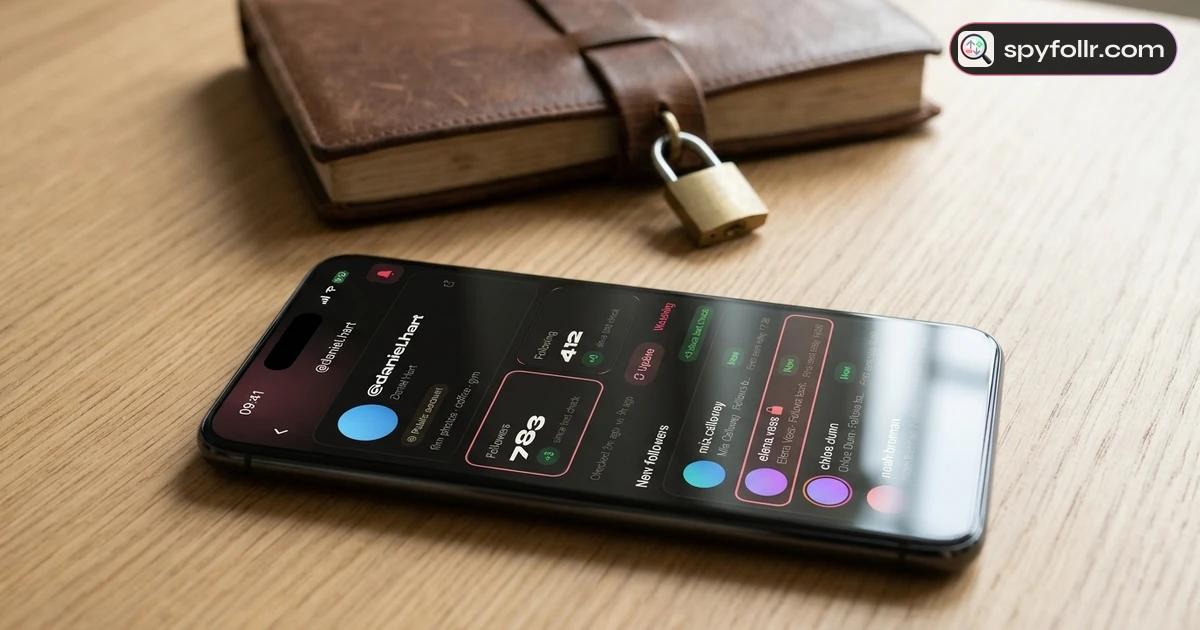
Can you see if a private account follows someone on Instagram? Not from the private account itself: its Following list is closed to everyone it has not approved. But a follow has two ends. If the account it follows is public, the private account appears in that public account's Followers list like any other follower, and anyone can open that list and look for it.
So the honest answer is "sometimes". You can check whether a private account follows a particular public account. You cannot get the full list of who a private account follows, and you cannot see a follow between two private accounts unless one of them has approved you. This guide explains both sides, the steps that work, and what a follow does and does not tell you. Everything here is about what Instagram shows anyone.
The short answer
| The follow you want to check | Can you see it? | Where |
|---|---|---|
| Private account follows a public account | Yes | In the public account's Followers list |
| Public account follows a private account | Yes | In the public account's Following list |
| Private account follows a private account | Only if one of them approved you | In that account's lists |
| Everyone a private account follows | No | Its own lists are closed to non-followers |
| When the private account followed | No | Instagram shows no follow dates |
The rule behind the whole table: a list is readable if the account that owns the list is public, or if it has approved you. The privacy setting of the other account in the follow does not hide it.
Why a private account's own lists are closed
When someone switches to private, only approved followers can see their posts, stories and both follow lists. Instagram's help page on making your account private describes it from the owner's side. A non-follower still sees the header: the username, name, photo, bio and the three counts. The "following" number stays visible, but tapping it opens nothing.
That is why there is no way to read "everyone this private account follows". The list lives on the private profile, and the profile is closed. Our guide on how to know if someone went private on Instagram covers what changes on the profile when an account switches.
How to see if a private account follows someone
The trick is to read the list from the other end. A follow appears in two places: the follower's Following list and the followed account's Followers list. If the followed account is public, its Followers list is open to everyone, private followers included.
Step by step
- Open the public account you want to check, the one the private account might follow.
- Tap its Followers count. On a public account the list opens for anyone, even if you do not follow it.
- Use the search field at the top of the list and type the private account's username or name.
- Read the result. If the private account shows up, it follows that public account. The row looks like any other follower, with the name and photo; the lock only shows once you open the profile.
The same works the other way round: open a public account's Following list to see whether it follows a private account. Our guide on how to see who someone follows on Instagram explains what a public Following list shows and where it stops.
When the search finds nothing
An empty search is weaker evidence than a hit. A few reasons it can miss:
- The account was renamed. The search matches the current username and name. Try the name they use, not an old handle; our guide on how to see someone's former Instagram usernames explains how to find a new one.
- Very large lists. On accounts with many thousands of followers, Instagram does not always return every follower to a search or a scroll. A miss on a celebrity's list proves little.
- They were removed or blocked. The public account owner can remove a follower, and blocking also ends the follow both ways.
- It really does not follow them. Often the simplest answer.
The "Followed by" line on a private profile
Open a private profile and you may see a line such as "Followed by name1, name2 and 3 others" under the bio. Those names come from the accounts you follow. It tells you which of your own connections follow the private account, not who the private account follows.
So the line answers a different question: which of the people you follow follow this private account. It is a hint from your own network, not a way into the private account's lists.
What you cannot see, by any honest method
Some things stay closed, and no app changes that:
- The full Following list of a private account. Only people it has approved can open it.
- Follows between two private accounts, unless you are approved by one of them.
- The date or time of a follow. Instagram shows no follow dates, and the list order is not a timeline. Our guide on how to see when someone followed someone explains what a first-seen date can and cannot say.
- Likes, comments, messages or close friends of a private account.
Sites and apps that promise to "unlock" a private account's following list cannot do it, because Instagram does not hand that list to anyone outside the approved followers. If a tool asks for your Instagram password, or for a survey before it "reveals" the list, close it. Our guide on private Instagram viewer apps explains what those tools really do.
Checking from outside your account with SpyFollr
If you would rather not scroll through a public account's lists from your own Instagram, SpyFollr reads public lists without an Instagram login:
- Look up the public side. Search the public account in the iPhone app or the web app and open its Followers or Following list. A private account that follows it appears there, the same as on Instagram.
- A "mutual" label. In a report, an account that is on both of the public account's lists (it follows the public account and the public account follows it back) carries a small "mutual" label.
- No Instagram login. SpyFollr never asks for your password, and the account you look up is not notified.
- New follows, dated the day SpyFollr first saw them. With Pro, a watched public account is checked every few hours, and accounts it has not seen before are marked "New". Our guide on why you can't see recent follows on Instagram explains why a first-seen date is the most anyone can get.
- A few free checks a day, and Pro raises the daily limit and turns on alerts. See the recent follow tracker and pricing pages.
What SpyFollr cannot do: open a private account's own lists, show anything inside a private account, or show likes, messages or who viewed a profile. If you look up a private account, you see its header with a private badge and nothing else, and the check still counts.
If the follow you found worries you
Many people search this question after spotting a partner, an ex or a friend on someone's follower list. A follow is a tap. It does not say when it happened, why, or whether the two people ever talk. People follow accounts from a suggestion screen, after meeting once, or years ago and forget about it.
If it bothers you, the person to ask is the one you know, not a list. A calm "I saw you follow this account, can we talk about it?" will tell you more than any amount of checking. Our guide for when your boyfriend follows other girls on Instagram has more on how to start that talk. And if someone made their account private to keep you out, that is their choice to make.
If you are the private account
Going private hides your posts, stories and both of your lists from people you have not approved. It does not hide you from the lists of public accounts you follow: anyone who opens their Followers list can see your name there. If that matters to you, the only fix is not following that public account. Our guide on whether people can see who you follow on Instagram covers every place your follows show. Unfollr's guide to Instagram privacy settings walks through the other settings around it.
If a public account of yours is being looked up on SpyFollr and you would rather it were not, you can ask for it to be removed and refused, as described in section 10 of our privacy policy and on the support page.
FAQ
Can you see who a private account follows on Instagram?
Not as a list. Only approved followers can open a private account's Following list. You can check one public account at a time: if the private account follows it, it shows up in that public account's Followers list.
Does a private account show up in a public account's followers list?
Yes. Privacy hides a private account's own posts and lists, not its name on other people's lists. If it follows a public account, it appears in that account's Followers list for anyone to see.
Can you see if two private accounts follow each other?
Only if one of them has approved you as a follower. Then you can open that account's lists. Otherwise neither list is readable, and no honest tool can show the follow.
Does Instagram notify a private account when you check its follows?
No. Opening a public account's Followers list and searching it sends nobody a notification. Our guide on whether Instagram notifies when you search someone covers what is and is not shared.
Can you see when a private account followed someone?
No. Instagram shows no follow dates on any list, public or private. The best anyone can do is note the day a follow was first seen on a public list.
Can a private account hide that it follows a public account?
No. While it follows a public account, its name is in that account's Followers list. Unfollowing is the only way to leave the list.
Related guides
- Can people see who you follow on Instagram?
- How to see who someone follows on Instagram
- How to know if someone went private on Instagram
- How to see when someone followed someone
- Why can't I see recent follows on Instagram?
- Does Instagram notify when you search someone?
- My boyfriend follows other girls on Instagram
- Recent follow tracker: how SpyFollr dates new follows